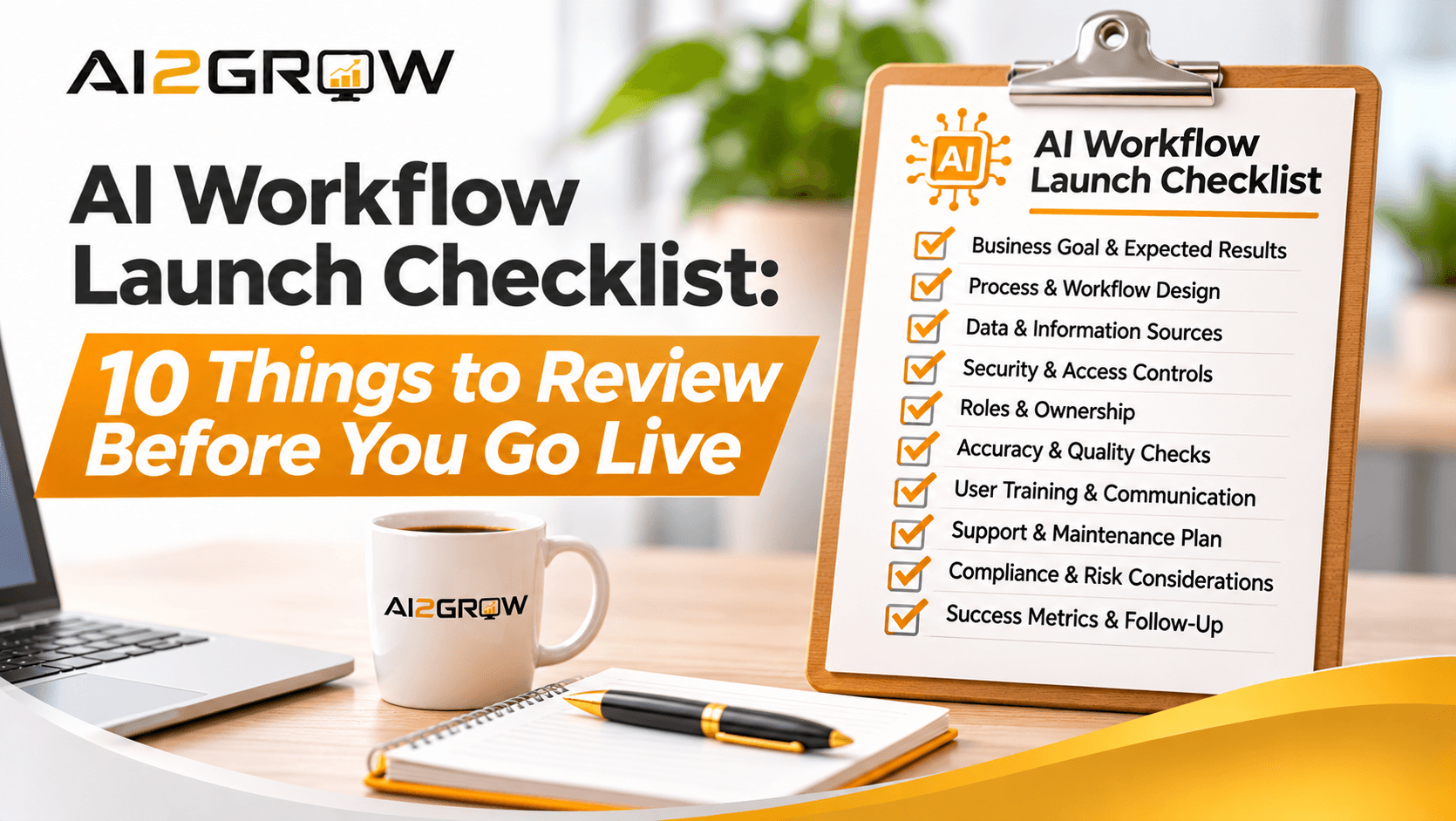
Building an AI workflow can be exciting.
You identify a repetitive process, test an idea, connect a few systems, and suddenly something that used to take twenty minutes can happen in two.
That is the fun part.
The harder part is deciding whether the workflow is actually ready to become part of everyday business operations.
A workflow that works well in a test environment may still create problems once real employees, real customers, real data, and real exceptions are involved. Before an AI workflow goes live, it is worth slowing down long enough to review the pieces that matter most.
This checklist can help.
1. Is the Business Problem Clearly Defined?
Before launch, make sure everyone can explain what the workflow is supposed to improve.
What problem are you solving? Is the goal to save time, reduce errors, improve response time, increase consistency, create capacity, or improve visibility?
If the answer is vague, the workflow may be harder to evaluate later.
"Use AI to help sales" is not specific enough.
"Reduce the amount of time sales reps spend manually summarizing inbound leads" is much clearer.
A defined business problem gives the workflow a purpose and gives leadership something measurable to review after launch.
2. Have You Mapped the Current Process?
Before automating a process, understand how it works today.
Who starts it? What information is needed? Which systems are involved? Where are the handoffs? What happens when something does not follow the normal pattern?
This matters because AI can automate a bad process just as easily as a good one.
If the current workflow is confusing, inconsistent, or full of unnecessary steps, adding AI may simply make the confusion happen faster.
Mapping the process first gives the team a chance to remove unnecessary work before automating it.
It also helps identify where AI actually belongs and where a person still needs to be involved.
3. Is There a Clear Owner?
Every important AI workflow needs an owner.
That does not necessarily mean one person has to manage every technical detail, but someone should be responsible for the business outcome.
If the workflow routes leads, who makes sure the leads are being routed correctly?
If it drafts customer responses, who monitors the quality?
If it creates internal reports, who decides whether the information is still useful?
Technical ownership matters too. Someone should know who maintains the integrations, updates the workflow, reviews permissions, and handles problems.
Without clear ownership, AI workflows can become systems everyone uses but nobody manages.
4. Do You Know What Data the AI Can Access?
Before launch, review exactly what information the workflow can see.
Can it access customer records? Employee information? Financial data? Internal documents? Email? CRM data? File storage?
The answer should be intentional.
AI should not receive broader access simply because it is easy to connect everything.
The principle of least privilege is useful here: give the workflow only the access it needs to perform the job.
This reduces unnecessary exposure and makes the workflow easier to manage from a cybersecurity perspective.
It also helps the business understand what is at risk if an account or integration is ever compromised.
5. Are the Right Cybersecurity Controls in Place?
AI workflows should be treated like other business technology.
That means reviewing account security, authentication, permissions, access management, and connected systems before launch.
Multi-factor authentication should be used where appropriate. Shared logins should be avoided. Administrative access should be limited, and the business should know how to remove access if an employee leaves.
If the AI connects to other systems, those integrations should also be reviewed.
What can the connection read? What can it change? Can it send information somewhere else? Can it create or delete records?
The more authority the workflow has, the more important these questions become.
AI security should be part of the company's broader cybersecurity strategy, not treated as a separate issue.
6. Is Human Review Clearly Defined?
"Keep a human in the loop" sounds good, but it is too vague to be useful.
Before launch, decide what people are actually expected to review.
Do they need to verify every output? Only high-risk cases? Only unusual requests? Are they checking facts, tone, customer information, pricing, or something else?
The level of review should match the risk of the task.
A low-risk internal summary may need very little oversight. A customer-facing message, financial workflow, or high-consequence recommendation may need much more.
Employees should also know when they are allowed to override the AI.
Human review works best when the reviewer understands what they are responsible for checking.
7. Have You Planned for Exceptions?
AI workflows usually perform best when the input follows a predictable pattern.
Real businesses are full of exceptions.
A customer provides incomplete information. A document is formatted differently. Two systems disagree. The AI is not confident. A request does not fit the normal rules.
What happens then?
A good workflow should have a clear path for unusual situations.
Does the AI stop? Does it route the case to a person? Does it flag the issue for review?
Trying to force AI to handle every possible scenario can make a workflow less reliable.
Sometimes the smartest design is one that knows when to step aside.
8. Can You Stop the Workflow Quickly?
Before launch, make sure someone knows how to stop the system.
Can the automation be paused? Can a connection be disabled? Can permissions be removed? Can automated messages be stopped?
This is especially important when AI can take action at scale.
A bad recommendation is one problem.
A workflow that automatically sends that recommendation to hundreds of customers is a much larger one.
The business should not have to figure out how to stop the workflow during an incident.
A clear pause or shutdown process should exist before the system goes live.
9. Is the Workflow Documented?
If the workflow depends entirely on the person who built it, the business has a continuity problem.
Documentation does not need to be complicated, but it should explain the basics.
What does the workflow do? What business problem does it solve? What triggers it? What systems does it connect to? What data does it use? What prompts or instructions are important? Where does human review happen? Who owns it?
It should also explain what to do if something breaks.
This documentation becomes especially valuable when employees change roles, go on vacation, or leave the company.
The goal is to make sure the workflow belongs to the business, not just the person who created it.
10. Do You Know How You Will Measure Success?
Before going live, decide what success actually looks like.
Is the workflow supposed to save time? Reduce errors? Improve customer response? Increase consistency? Create capacity? Reduce manual handoffs?
Choose a few measures that reflect the business goal.
If the workflow is supposed to save time, measure the entire process before and after launch, including review and exception handling.
If it is supposed to improve quality, track errors, rework, or customer feedback.
If it is supposed to create capacity, look at what employees are actually able to do with the time they get back.
A workflow should not be considered successful simply because it runs.
It should create measurable value.
Test With Realistic Scenarios Before Launch
A final review should include testing with situations that resemble real business use.
Do not only test perfect examples.
Try incomplete information. Try unusual requests. Test what happens when a system is unavailable. See how the workflow behaves when the data is messy or the input is unclear.
This is where many hidden problems appear.
A workflow that performs beautifully in a controlled demo may behave very differently when real employees and real customers are involved.
The goal is not to eliminate every possible failure before launch.
It is to understand the likely ones and have a plan for them.
Going Live Should Be a Business Decision
Launching an AI workflow is not simply a technical milestone.
It is a business decision.
The workflow may affect employees, customers, data, security, and day-to-day operations. That means the question should not only be, "Does the AI work?"
It should also be, "Are we ready to operate this responsibly?"
Before going live, make sure the problem is clear, the process is understood, ownership is assigned, permissions are appropriate, cybersecurity controls are in place, human review is defined, exceptions are planned for, and the workflow is documented.
Then decide how you will measure whether it is actually making the business better.
A successful AI launch is not just about getting the automation running.
It is about making sure the business is ready for what happens after it does.
Ready to implement AI the right way?
Let's have an honest conversation about your business and whether we're the right fit.
Schedule a Strategy Call →